A real wiki app without the heavy stack.
For people who think in folders, not feeds. LeafWiki gives you a structured wiki for runbooks, homelab docs, tutorials, and team notes — Markdown on disk, no database server required.
- Single Go binary — no Node.js, no Redis, no Postgres
- Markdown files on disk — readable without the app, easy to back up
- Runs on Linux, macOS, Windows, and Raspberry Pi
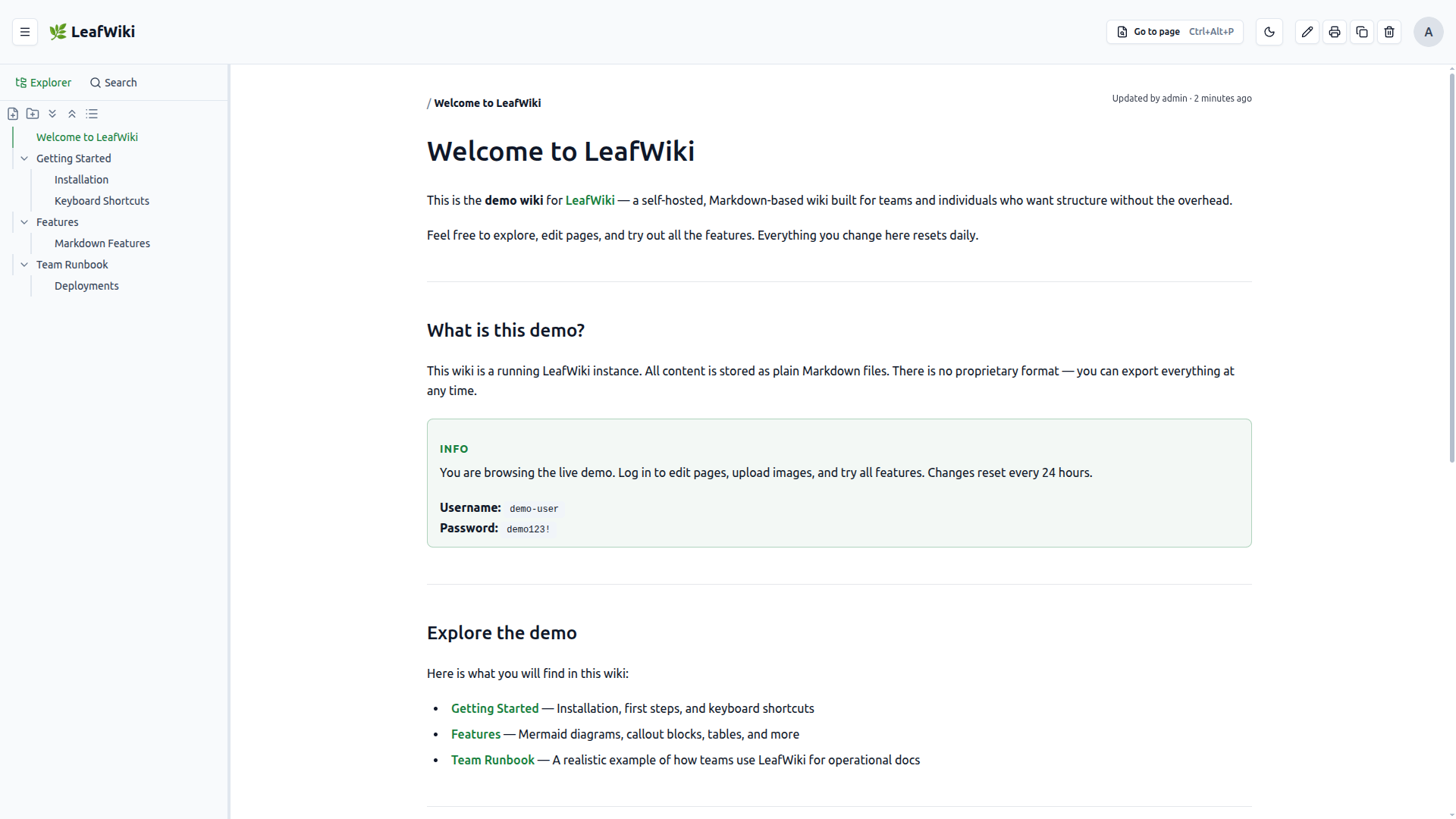
Don't want to run the server yourself? Free hosted beta — 10 spots, starting September 2026.
Get a beta spot →Content Spotlight
selfh.st weeklyFeatured in
Self-Hosted Weekly"Not every team needs a knowledge base with a Postgres cluster behind it. The 'SQLite plus files plus one container' approach is perfect for small teams and homelabs who want a wiki they can back up by copying a folder. I like tools that know their scope and stay there." — Michael Soto, Self-Hosted Weekly
Works well for
- Personal knowledge bases and engineering notes
- Team runbooks, internal docs, onboarding guides
- Homelab and self-hosted setups
- Obsidian users who want a server-side wiki —
[[wikilinks]]work out of the box - Anyone who prefers tree structure over a flat note feed
Probably not for you if
- You need real-time collaborative editing
- You need an all-in-one workspace like Notion or a full enterprise suite like Confluence
- You need approval workflows or automations
- You have a large org with complex permission requirements
It's intentionally focused. That's the point.
Editor
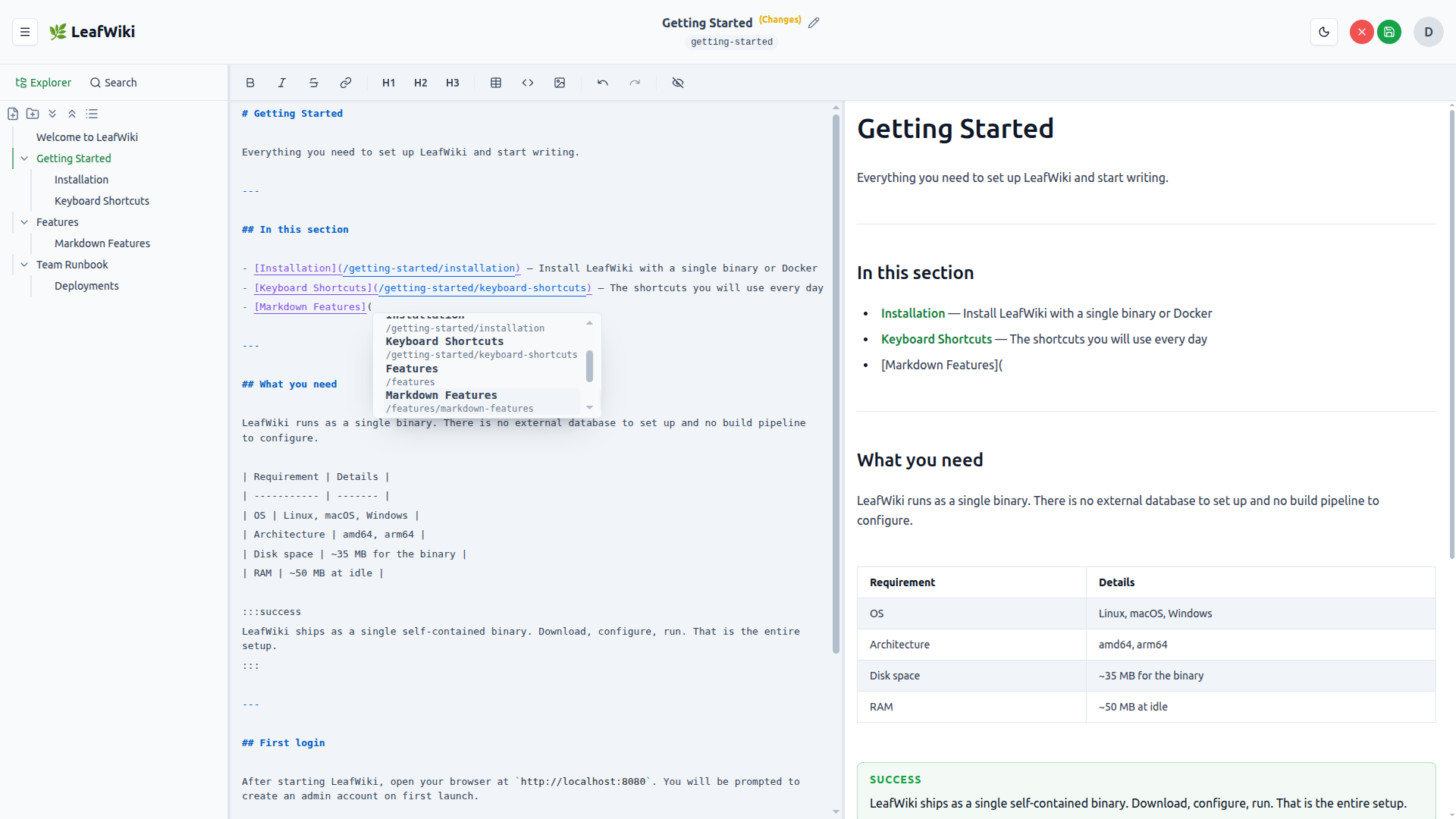
Write and see the result, side by side.
LeafWiki's editor shows your Markdown and the rendered output next to each other, live. No switching views, no preview button. What you're writing is visible as it will appear.
- Auto-save — changes are saved automatically, no button to click
- Paste images with Ctrl+V — uploaded and linked automatically
[[wikilink]]syntax — Obsidian-compatible, autocompletes as you type
Markdown on Disk
Your pages are plain files. Always.
Page content is stored as .md files on disk — readable in any editor, searchable with grep, movable without export. Metadata like links, tags, and the search index live in lightweight SQLite databases next to the files.
- Open any page in your editor of choice — no app required
- Backup is
cp -r— no database dump, no special tooling - Move to another tool later without losing your content
data/
  root/
    index.md
    getting-started.md
    homelab/
      index.md
      network.md
      server-setup.md
      .order.json
    .order.json
  assets/
Navigation & Search
Always know where things are.
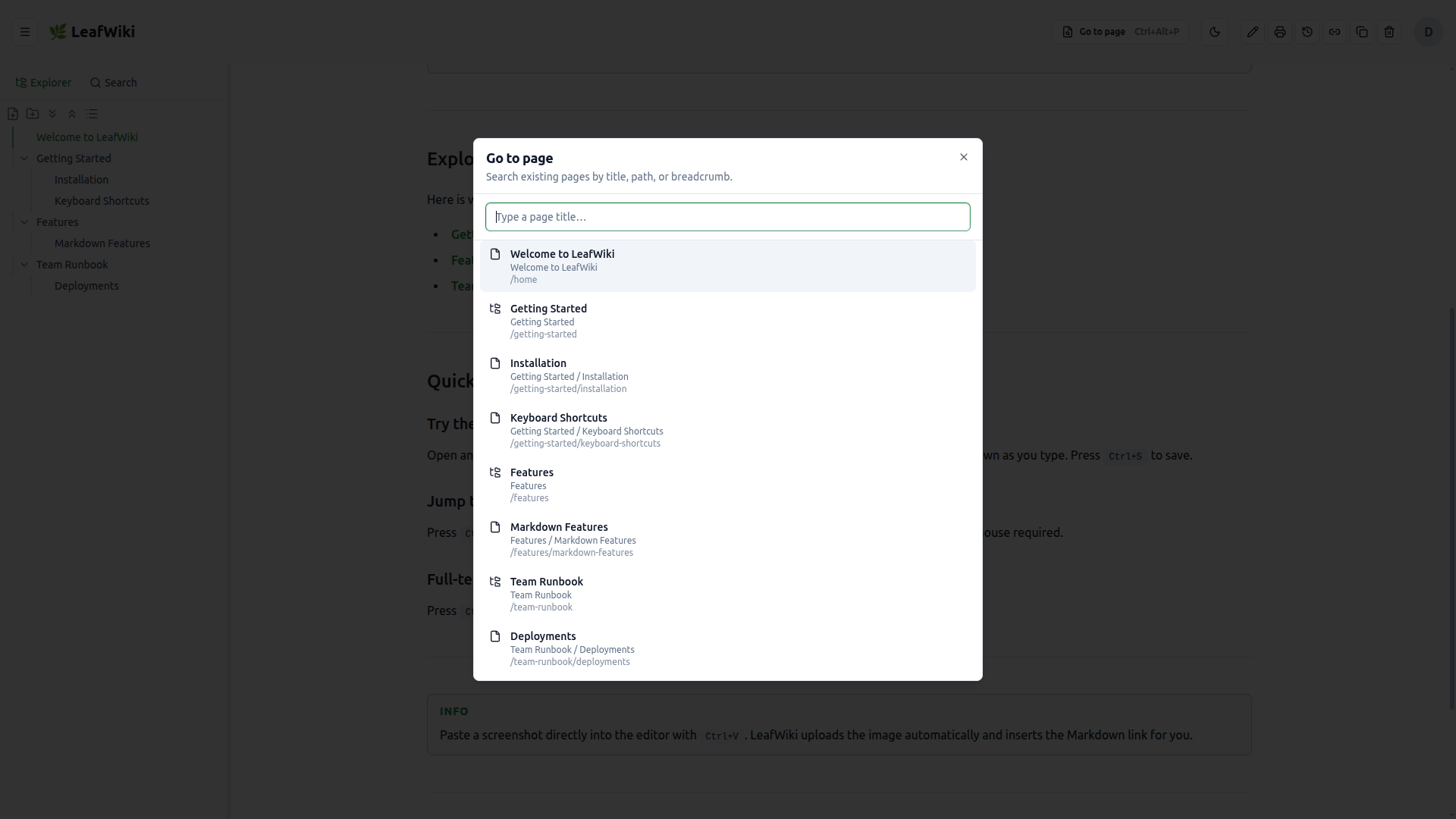
Tree navigation keeps your structure visible at all times. Full-text search with tag filtering (Ctrl+Shift+F) finds pages across the entire wiki fast. Quick navigation (Ctrl+Alt+P) gets you anywhere without reaching for the mouse.
Revision History
Nothing gets lost.
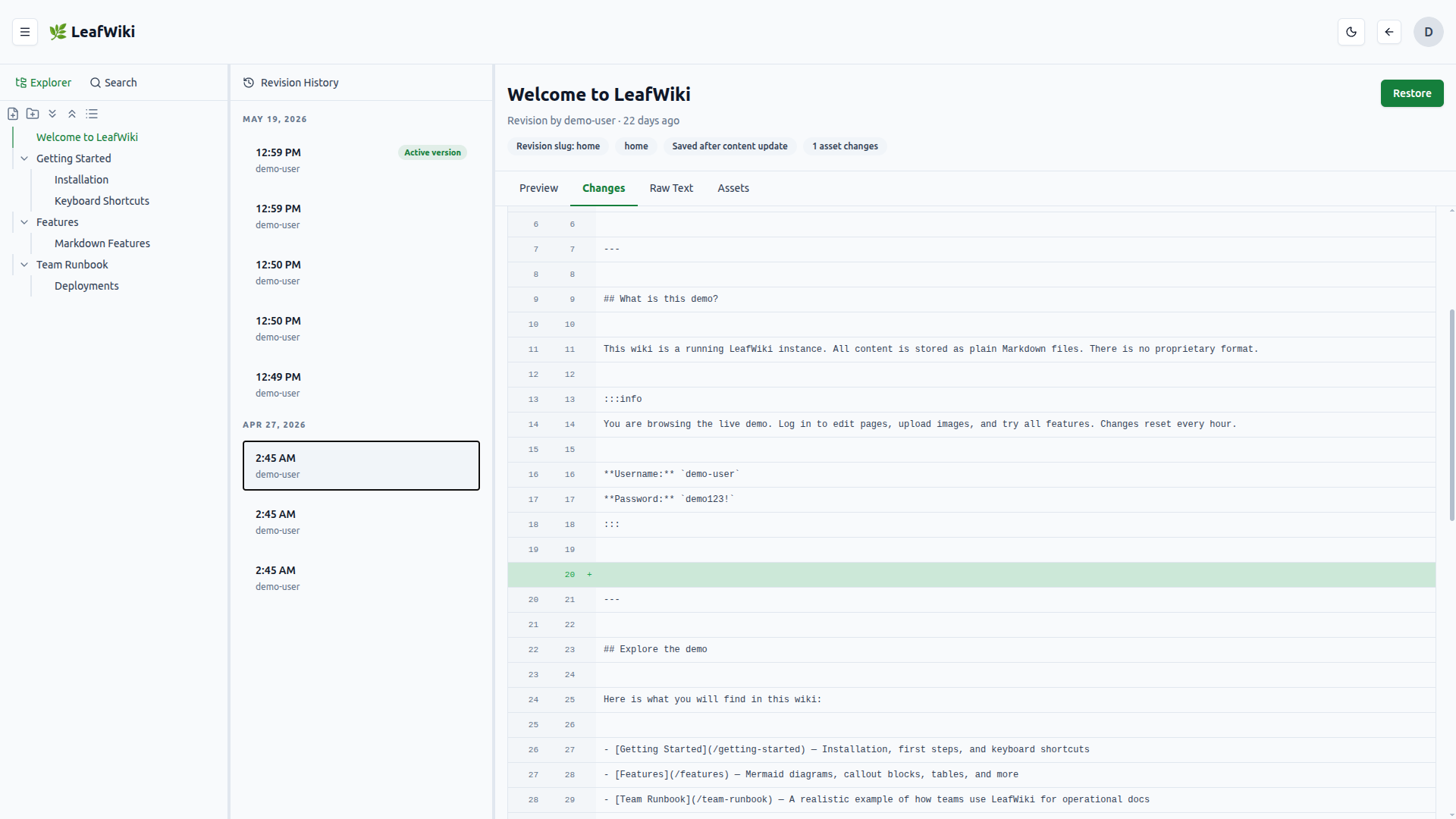
Every save is stored. If something breaks or gets overwritten, find the last good version and restore it in one click.
Enabled with --enable-revision.
Link Intelligence
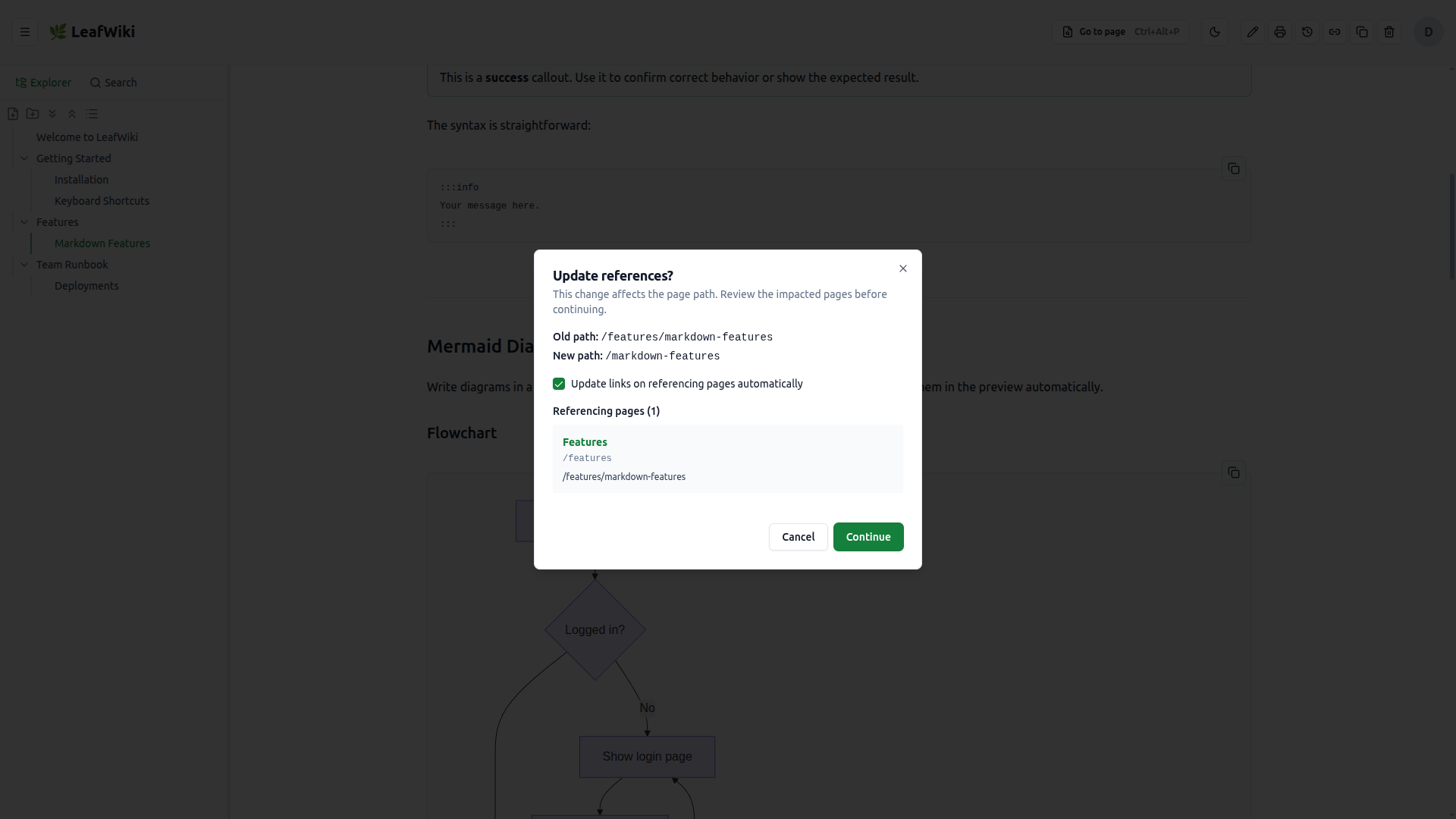
Rename a page. Links update automatically.
LeafWiki tracks backlinks across the wiki. When you rename or move a page, existing links are updated automatically. Broken links are flagged per page so nothing silently falls apart.
Link refactoring enabled with --enable-link-refactor.
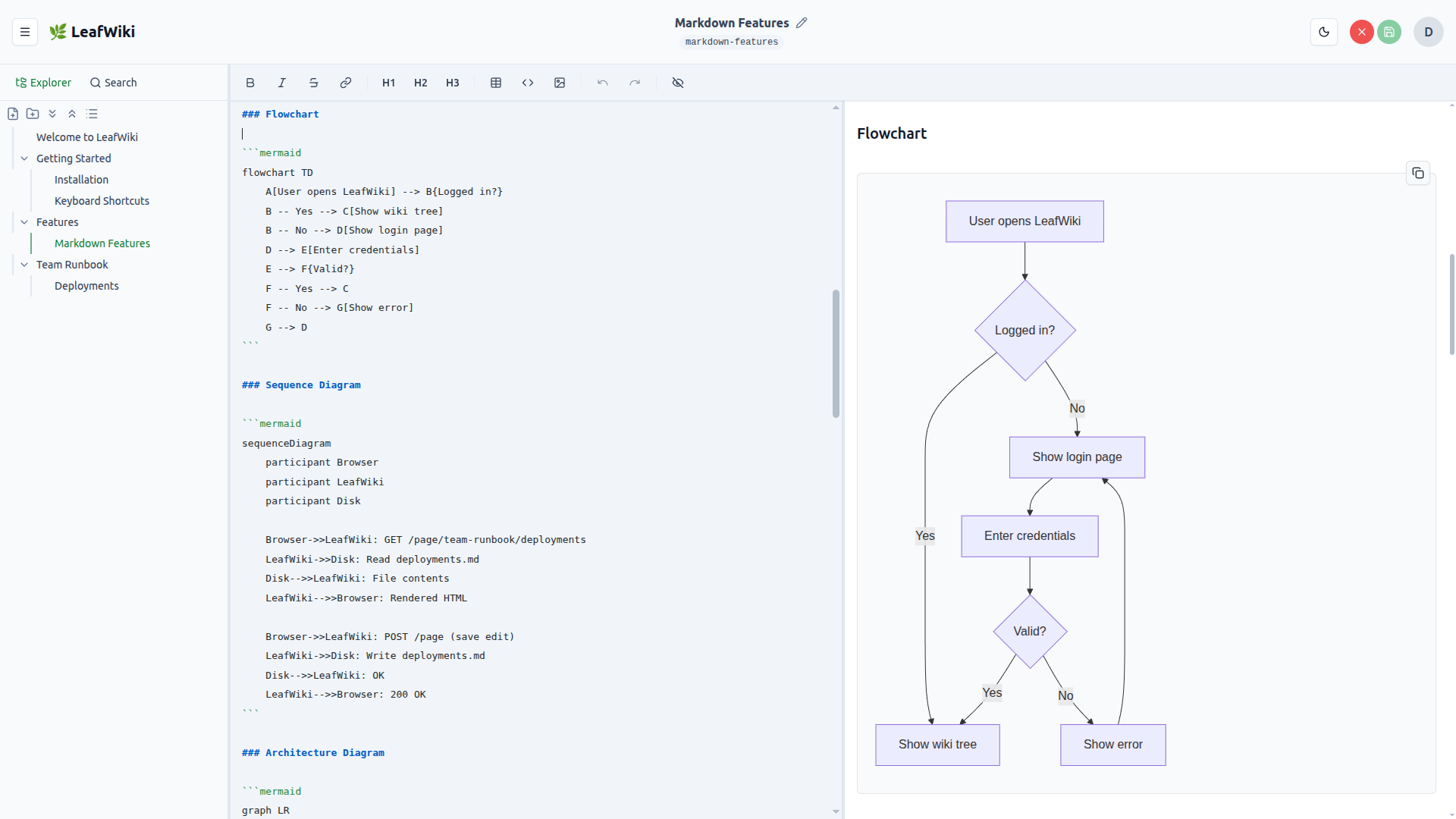
Diagrams & Math
Mermaid and KaTeX, inline.
Write Mermaid code blocks and they render as diagrams. KaTeX handles math notation. Both work inline in regular Markdown pages — no plugins or build steps.
Three ways to run it
Works behind Authentik, Authelia, and Keycloak via trusted HTTP headers — plug into your existing auth setup.
Quick start
docker run -p 8080:8080 \
  -v ~/leafwiki-data:/app/data \
  ghcr.io/perber/leafwiki:latest \
  --jwt-secret=secret \
  --admin-password=admin \
--allow-insecure=truesudo /bin/bash -c \
"$(curl -fsSL https://raw.githubusercontent.com/perber/leafwiki/main/install.sh)"Why it exists
If you've looked at Wiki.js or Outline and thought "this is too much to operate for what I need" — this could fit for you.
I wanted a wiki for notes I might still need years from now. Not one that turns documentation into another fragile system to maintain or locks content into a format that is hard to move later.
Most self-hosted wikis need a database server and a runtime. LeafWiki is a single Go binary. SQLite handles state. Page content is stored as plain .md files on disk. Readable without the app; LeafWiki manages structure, routing, assets, and permissions.
The goal is not to become an all-in-one workspace. The goal is a wiki simple enough to live with for years.

Built and maintained by @perber. LeafWiki is still early, and real-world testing, rough-edge reports, and feedback are especially useful right now. Questions or feedback? Open a discussion on GitHub.
Get involved
LeafWiki is community-supported open source. It improves through real-world use, bug reports, and small contributions from early users. Bug reports, feature requests, and pull requests are all welcome.
- GitHub Discussions : ask a question, share a use case, suggest an idea
- Issues : report a bug or request a feature
- Contributing guide : how to contribute code or docs
If LeafWiki is useful to you, starring the project and sharing it helps more than you'd think. GitHub Sponsors helps fund ongoing work.
What's next
Share individual top-level sections instead of an all-or-nothing public toggle: make one section public, or restrict it to specific users and groups.
From the blog
v0.14.0 embeds PDFs in pages, adds French and Simplified Chinese, an always-visible TOC, faster Git backups, and hardens file serving and sessions.
v0.13.0 adds German and Spanish UI translations, Git backup and public mode as runtime settings, email password reset and invitations, and editor and print fixes.
v0.12.0 adds full backup and restore, TOTP-based two-factor authentication, drag & drop page reordering, favorites, and a resizable editor.